

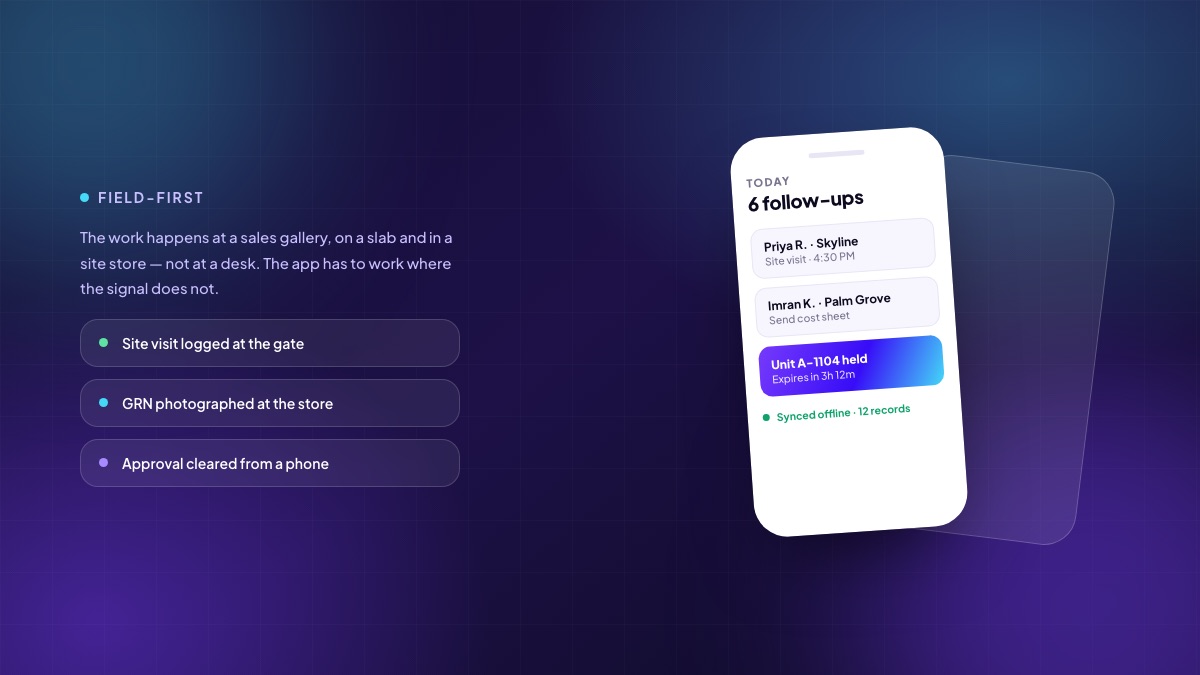
In a property business almost nothing of value happens at a desk. The enquiry is answered in a car. The site visit happens at a sales gallery. The material is received at a store with no roof. The approval that holds up a purchase order is waiting on someone who is on a slab on the eleventh floor. If your system only works properly on a laptop, you do not have an operational system — you have a place where people type up what already happened.
Four very different people, four very different apps
“A mobile app” is not one requirement. Four groups need field access and they need almost nothing in common.
The sales executive
Wants the day's follow-up list in priority order, click-to-dial with the outcome logged in one tap, live unit availability while standing in front of a customer, the ability to generate a cost sheet and hold a unit within the rules, and to log a site visit at the gate rather than at 9 PM from memory. If checking availability takes more than a few seconds, the executive will quote from memory, and eventually two people will sell the same flat.
The site engineer and the storekeeper
Wants to raise a material requisition against a budget head, receive goods with a photograph and an inspection note, issue material to an activity, record progress against a milestone, and capture a snag with a location and an image. All of it needs to work with a bad connection, and the receipt has to be recorded at the gate, not reconstructed later from a paper challan.
The approver
Wants a queue, enough context to decide without opening a laptop — the budget position, the vendor, the comparison, who raised it — and one tap to approve, reject or return with a comment. Nothing delays a project as reliably as an approval waiting for someone to reach a desk.
The customer
Wants their own account: the cost sheet, what has been demanded, what has been received, what is due next, the documents, the construction updates, and a way to raise a request without calling anyone. Every question answered here is a call your post-sales team does not take, and the questions are the same ones every time.
The requirement everyone underestimates: offline
Basements have no signal. Lifts have no signal. Half-built towers have no signal, and the sales gallery on the far edge of a new layout often has one bar on a good day. An app that requires connectivity to function gets abandoned within a month, and the paper register comes back.
Working offline properly means three things, and the third is the one that is usually missing:
- Read offline. Today's list, the inventory snapshot, the open requisitions, cached on the device.
- Write offline. Visits, receipts, issues, progress and photographs captured into a local queue with a visible pending count, so the user knows their work is safe.
- Resolve conflicts honestly. Two people acted on the same unit or the same requisition while both were offline. The system must have a defined rule, must apply it consistently, and must tell the losing user what happened rather than silently discarding their entry.
Inventory is the case that needs the strictest treatment. A hold or a booking should be confirmed against the server, not created optimistically offline, because the cost of a double-sold unit is far higher than the cost of asking an executive to step outside for signal.
What field design actually demands
- One thumb, in sunlight, wearing gloves. Large targets, high contrast, no hover states, no dense tables.
- The camera is the primary input. A photo of the delivery, the snag, the meter, the document. Compress on the device and attach it to the record, not to a WhatsApp thread.
- Location and time come for free — use them. A site visit logged with a timestamp and a coordinate settles a lot of arguments.
- Fewer fields. If a form needs more than a screen, it belongs on a desktop. Capture the minimum in the field and enrich later.
- Respect the battery and the data plan. These are real constraints on a site, not theoretical ones.
A word about WhatsApp
Every Indian site already runs on it, and pretending otherwise is futile. The correct posture is to use it as a channel and not as a system of record: notifications, demand reminders, approval prompts and customer updates sent through the Business API, with the resulting action recorded in the platform. What must not happen is a purchase approval that exists only in a chat thread, or a snag that only one foreman's phone knows about. If it matters in three months, it belongs in a record with an owner.
How to tell whether it is working
Adoption of a field app is easy to measure and easy to fool yourself about. Four numbers worth watching:
- Percentage of site visits logged the same day — the honest test of whether the sales app is being used at the gallery or at home.
- Median approval turnaround before and after. This is where field access shows up in the schedule.
- Goods receipts recorded on the day of delivery — the single best indicator of whether the store is actually running on the system.
- Post-sales call volume for questions the customer portal answers. If it has not fallen, the portal is not being told about.
The point
A field app is not a smaller version of the web application. It is a different product for a different moment, and the moment is the one where the business actually happens. Get it right and the record is created where the event occurs, by the person who saw it, at the time it happened — which is the only condition under which any of the reporting downstream is worth reading.
Written by the Teczen team. If you want to talk through how any of this applies to your projects, book a working session — no slides.