

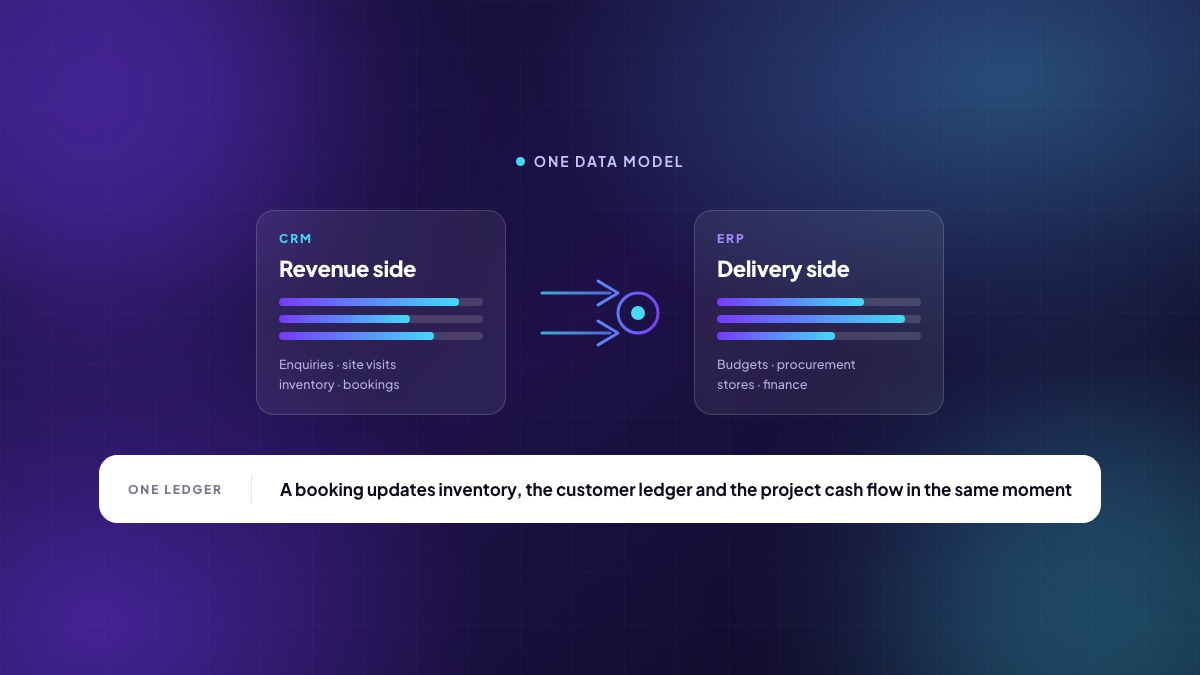
A CRM sells the unit. An ERP builds it, buys the steel for it, pays the people who pour it and closes the books on it. In most property businesses those are two different systems bought in two different years by two different people, and the gap between them is where margin, cash and credibility quietly disappear. This is an argument for why a real estate business needs both — and why the interesting question is not which one, but whether they share a data model.
Two halves of the same transaction
Consider what a single booking actually is. To the sales team it is a customer, a unit, a cost sheet and a payment plan. To finance it is a receivable and a revenue recognition event. To the projects team it is a unit that can no longer be changed, and a milestone that will trigger a demand when the slab is cast. To the leadership it is a data point in the sales velocity that decides whether phase two launches in November.
That is one event with four consequences. In a split estate it becomes four data entries, made at different times, by different people, with different definitions of “booked”. The reconciliation work that follows is not a small inefficiency; in most mid-sized developers it is somebody's entire job.
What the CRM half has to do in real estate
A generic CRM models contacts and deals. Real estate does not sell deals; it sells inventory with structure, and that changes what the software has to understand:
- Unit-level inventory with towers, floors, configurations, facing and views — held live, so two executives cannot promise the same flat.
- Dynamic cost sheets built from base rate, PLC, floor rise, amenities, parking, statutory charges and taxes, with discounts that need approval before a number is spoken aloud.
- Milestone-linked payment plans, because the demand is raised when the structure reaches a stage, not on the first of the month.
- A document trail — allotment letter, agreement, registration — that a regulator may ask to see years later.
Bolting these onto a horizontal CRM is possible. It is also how organisations end up with a customisation that only one consultant understands and that breaks at every upgrade.
What the ERP half has to do
The delivery side has an equally specific shape. Budgets by cost head against a BOQ. Requisitions from sites that must be checked against a budget before they become an order. Vendor comparison recorded, not remembered. Goods receipts with inspection. Material issued to an activity, not just to a project. Subcontractor running account bills with measurement, retention and recovery. Multi-entity books, because each project is often its own SPV, and consolidation at the group.
The critical mechanism here is commitment accounting: a purchase order consumes budget the moment it is raised, not when the invoice arrives six weeks later. Without it, a project looks healthy until it is not.
What the gap between them actually costs
| Where the seam is | What goes wrong |
|---|---|
| Booking → inventory | A unit sold in the CRM is still available in the master the site office quotes from. |
| Booking → finance | Revenue and receivable are recognised on a schedule that does not match the sales record. |
| Construction stage → demand | The slab is cast in week two; the demand letter goes out in week six. Six weeks of float, on every customer. |
| Receipt → project cash flow | The project team plans procurement against money that has not actually arrived. |
| Purchase order → budget | Committed spend is invisible until invoices land, so the overrun is discovered after it is spent. |
| Everything → the board pack | Four exports, one spreadsheet, and a number nobody can drill into when it is questioned. |
“We will just integrate them”
Integration is a real option and it is worth being honest about what it buys you. A well-built connector will move records between two systems on a schedule. What it cannot do is give the two systems a shared definition. If the CRM's idea of a booking includes provisional ones and the ERP's does not, the connector faithfully transmits a disagreement.
The three costs people underestimate: reconciliation still has to happen, because two databases drift; every upgrade on either side is now a project; and the moment a question spans both systems — “what is the cash position of phase two including committed spend and expected collections?” — somebody opens a spreadsheet again.
Integration is the right answer when you already own a large ERP that the group will not replace. It is rarely the right answer when you are choosing both from scratch.
You do not need everything on day one
Needing both does not mean implementing both at once. The sequence that works for most developers:
- Weeks 1–6 — the revenue side. Enquiries, site visits, live inventory, cost sheets, bookings, demands and receipts. This is where the fastest, most visible return is, and it is the part your team will adopt willingly because it makes their day easier.
- Weeks 6–14 — projects and procurement. Budgets, requisitions, RFQ, purchase orders, GRN and stores, with commitment accounting switched on from the first order.
- Weeks 12–20 — finance, HR and analytics. Ledgers, tax, payroll and the dashboards that now have real transactions underneath them.
The point of doing it in one platform is that step two runs against the masters you configured in step one. Adding a module later is a configuration exercise, not a second implementation.
Two questions to ask any vendor
First: show me a booking, and then show me every record it changed. If the answer involves a nightly job or a second login, you are buying two systems. Second: show me a number on a dashboard, and let me click until I reach the document behind it. If the trail stops at a summary table, the dashboard is decoration.
Written by the Teczen team. If you want to talk through how any of this applies to your projects, book a working session — no slides.